
How to get the new JOFC app
iPhone: (see the video from X)
Open the site on your phone and wait a few seconds. A banner with the "Install the app" button will appear at the bottom of the screen. One tap and you are done.
The install button is also at the bottom of every article, right after the hashtags, so you can install the app any time you are reading the news.
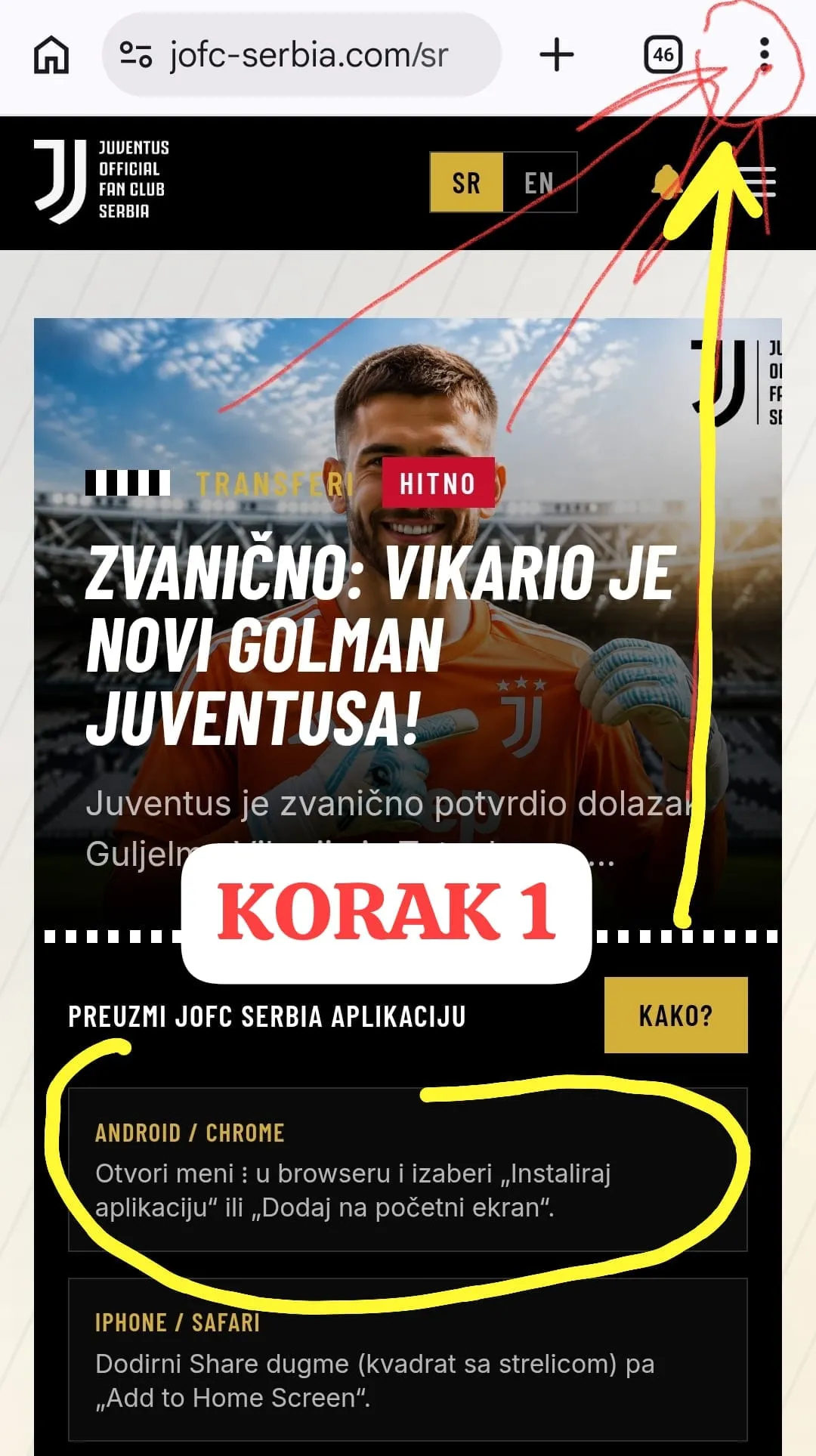
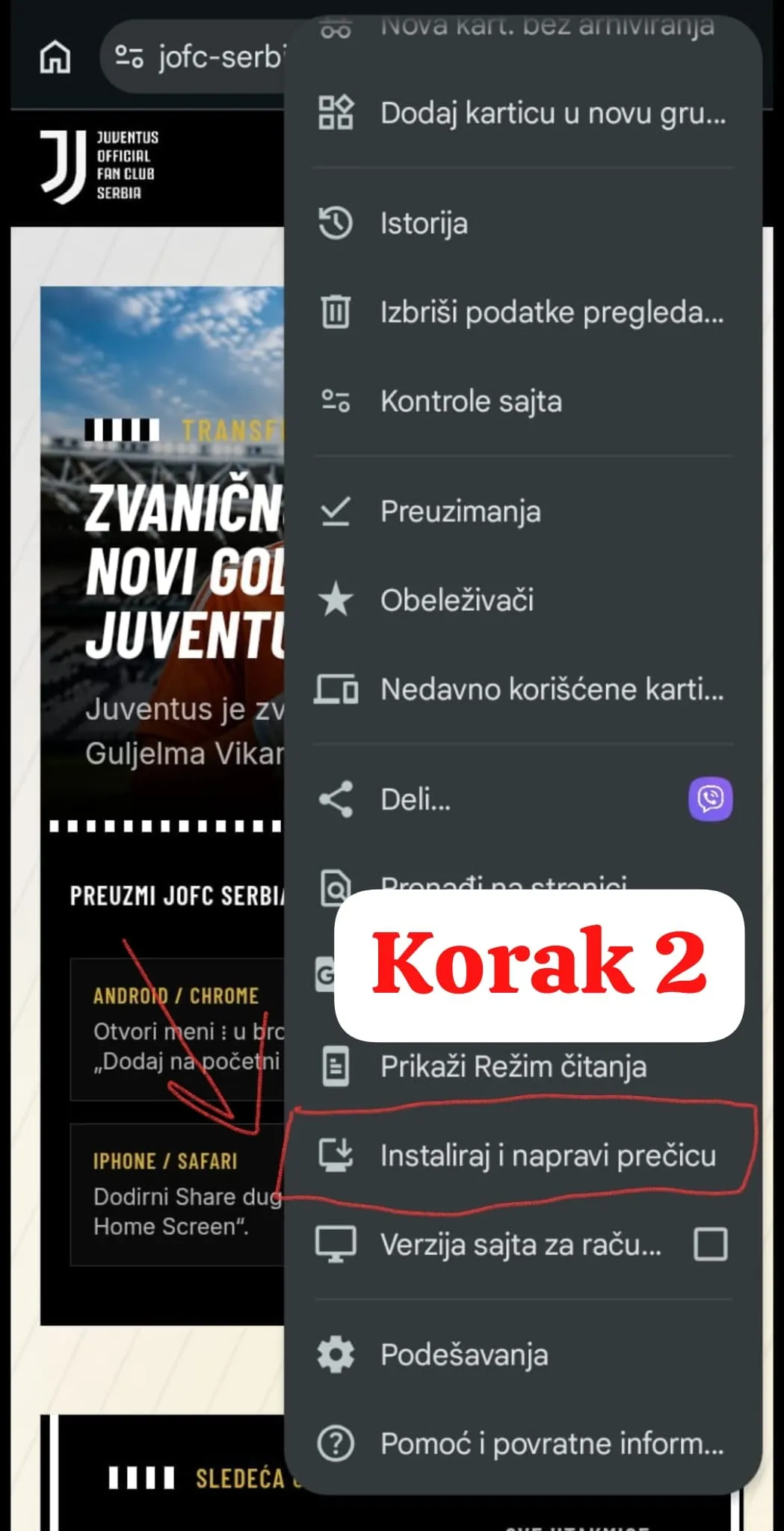
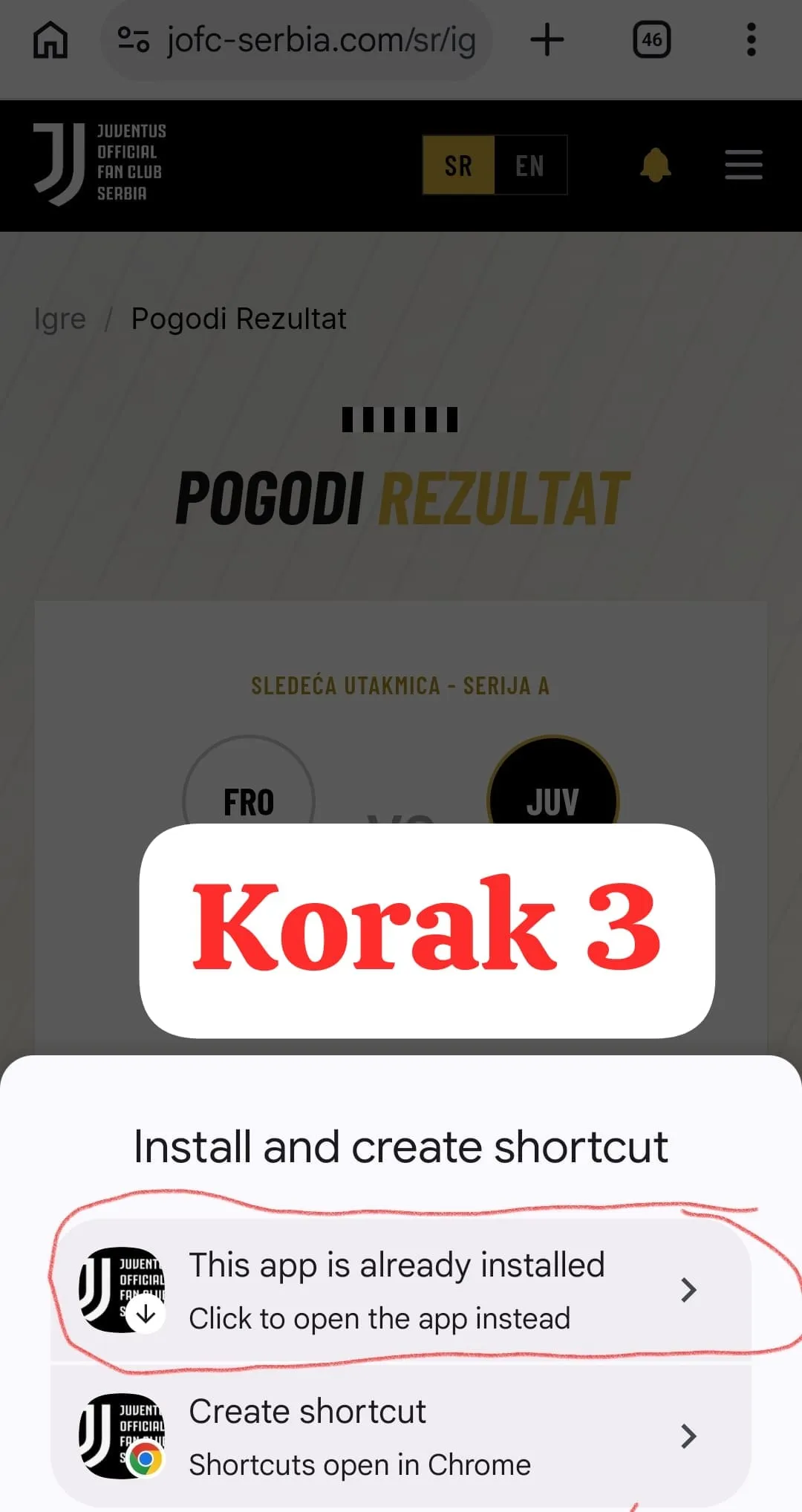
ANDROID GUIDE (IN THREE STEPS)
Step one: open the site
⚽️
Step two:
⚽️
STEP THREE:
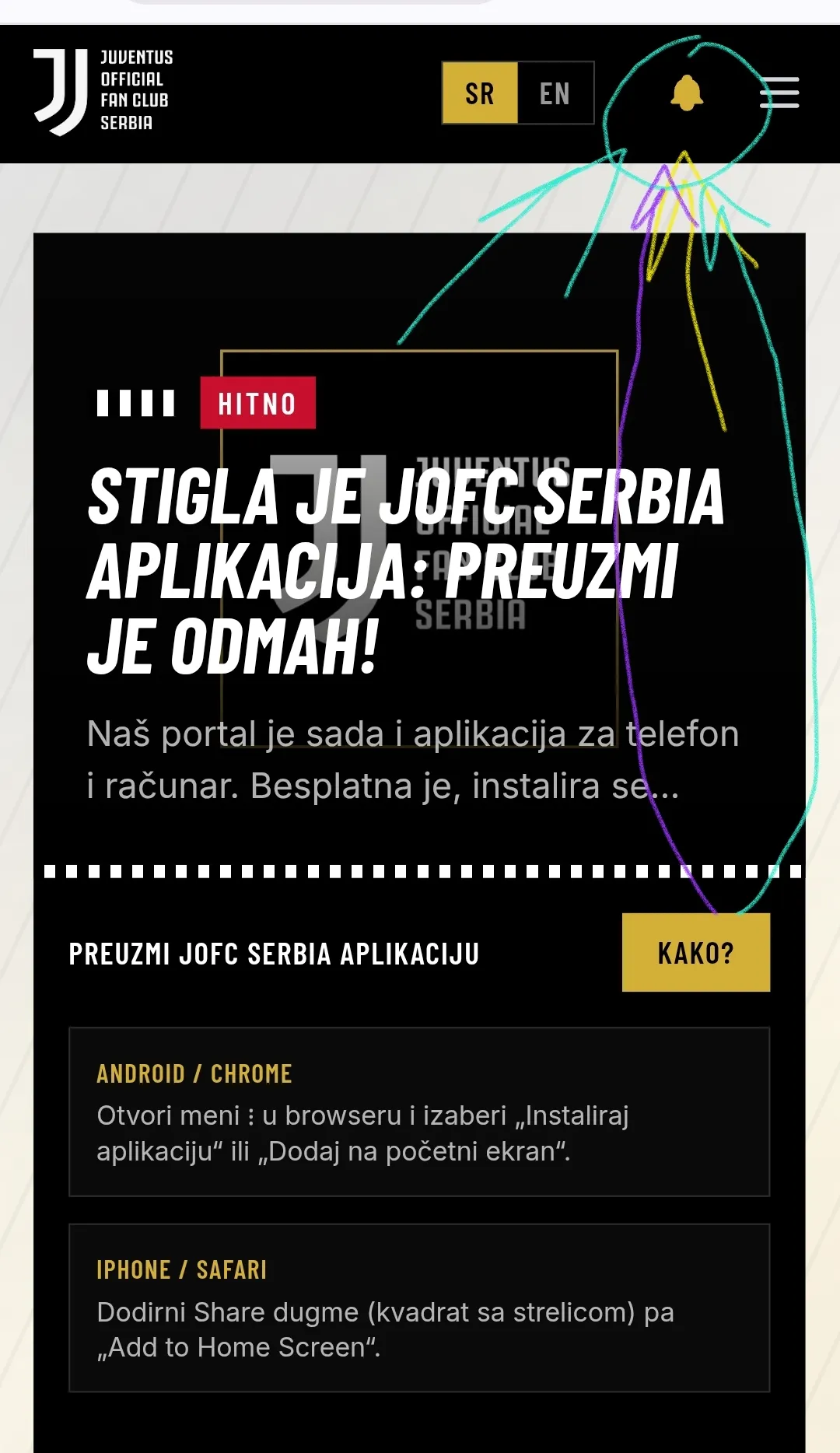
Turn on notifications via the 🔔 and be the first to know
On the home page of the site and the app there is a "Turn on news notifications" section. One tap and every new article reaches your device as a notification the moment we publish it.
FINO ALLA FINE